
Running a Tournament
The live screen. Busting players, rebuys, add-ons, late registration, undoing mistakes, editing blinds mid-run, and every keyboard shortcut.
You hit Start and the live screen takes over. This is where you will spend the whole night, so it is worth ten minutes now to learn the keys.
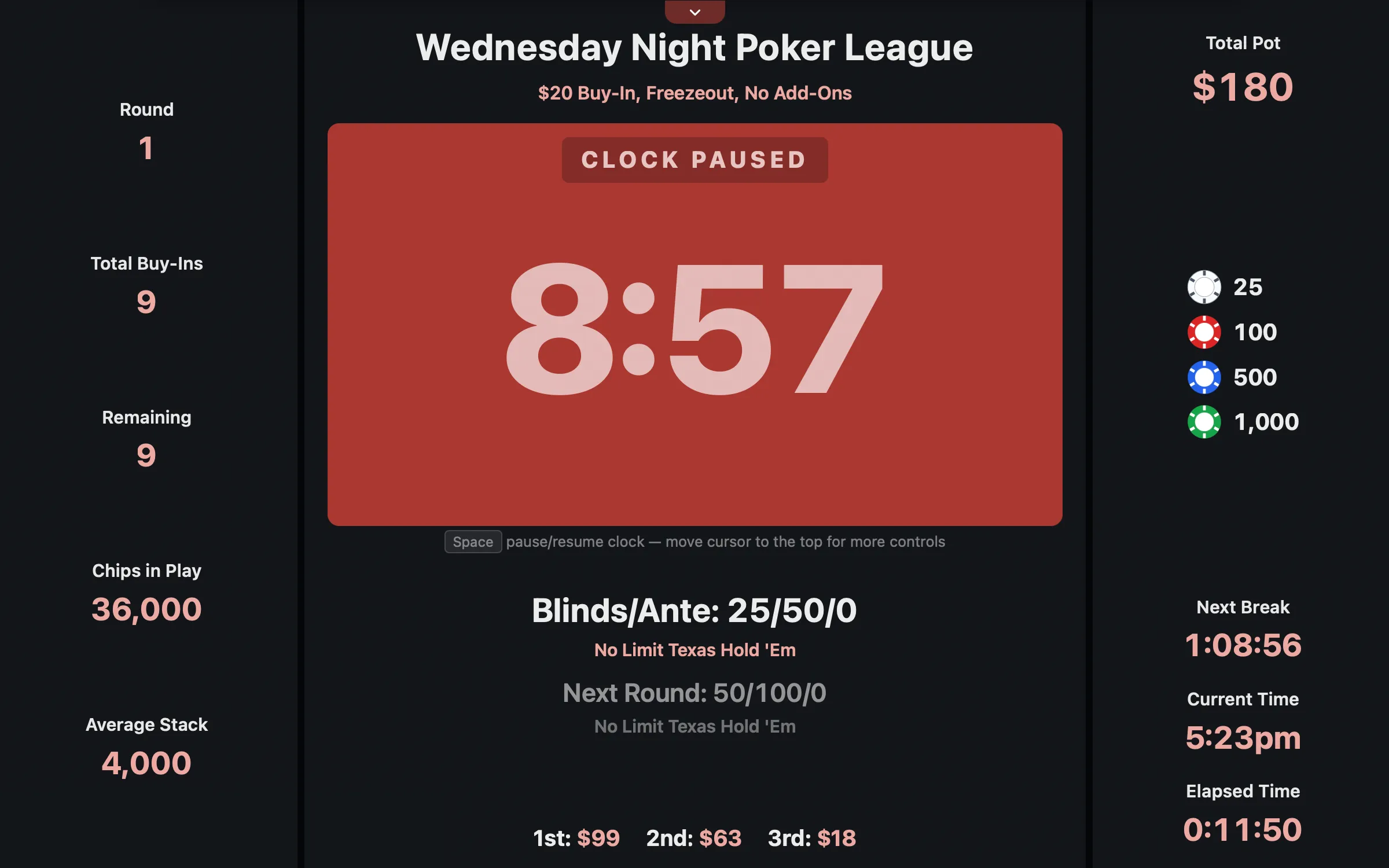 The live screen: big clock, current and next blinds, pot, players left.
Every keyboard shortcut
You can click all of these using the hidden menu at the top, but you will be faster with the keys.
| Key | Action |
|---|---|
| Space | Start / pause the clock |
] |
Next level |
[ |
Previous level |
x |
Bust a player |
u |
Undo a knockout |
r |
Rebuy |
a |
Add-ons |
n |
New entry (late registration or re-entry) |
v |
View standings |
m |
Manage seating |
s |
Structure management |
p |
Manage payouts |
c |
Display on TV |
f |
Present (fullscreen) |
? or / |
Show the house rules |
Jumping a level with [ or ] asks you to confirm, because it moves the whole night.
Busting players
Press x.
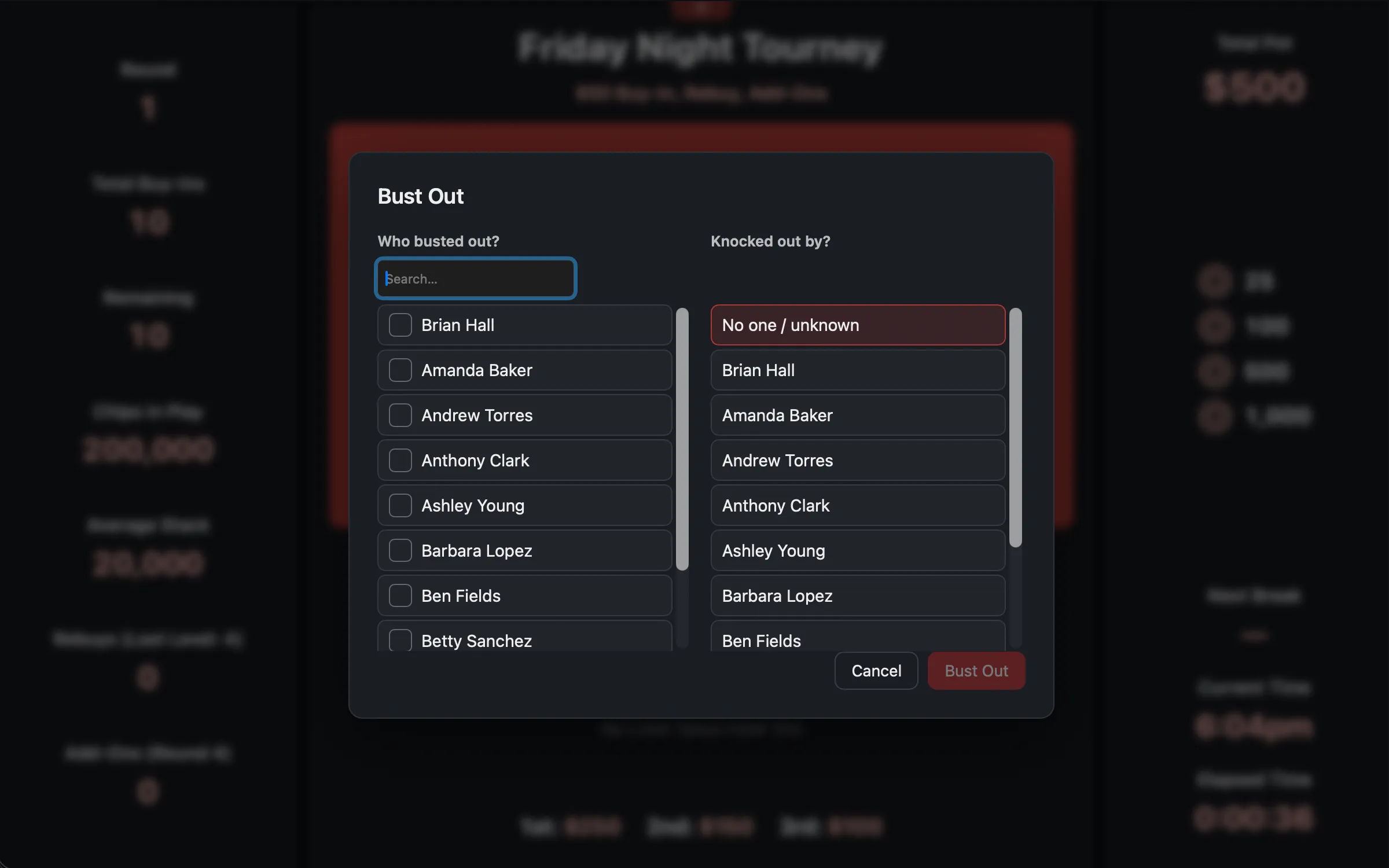 Bust Out: who went, and who got them.
The modal has two sides. On the left, Who busted out? Tick them. You can tick more than one, which happens on a big all-in, and the order you tick them in is the order they finish: they get numbered ①②③ as you go, and the first one you tick finishes lowest.
On the right, Knocked out by? Pick the player who did it. There is a No one / unknown option at the top if you don’t care who knocked out whom.
This is not bookkeeping for its own sake. Knockout attribution feeds player statistics and, if you run a league, choosing who did the knocking out is required.
You can never bust the entire field. The last player standing is the winner.
If rebuys are open, the app immediately asks: “Do any of those players want to rebuy?”
Undoing a bust
Press u. Somebody miscounted, somebody had a chip behind, somebody got busted by
accident.
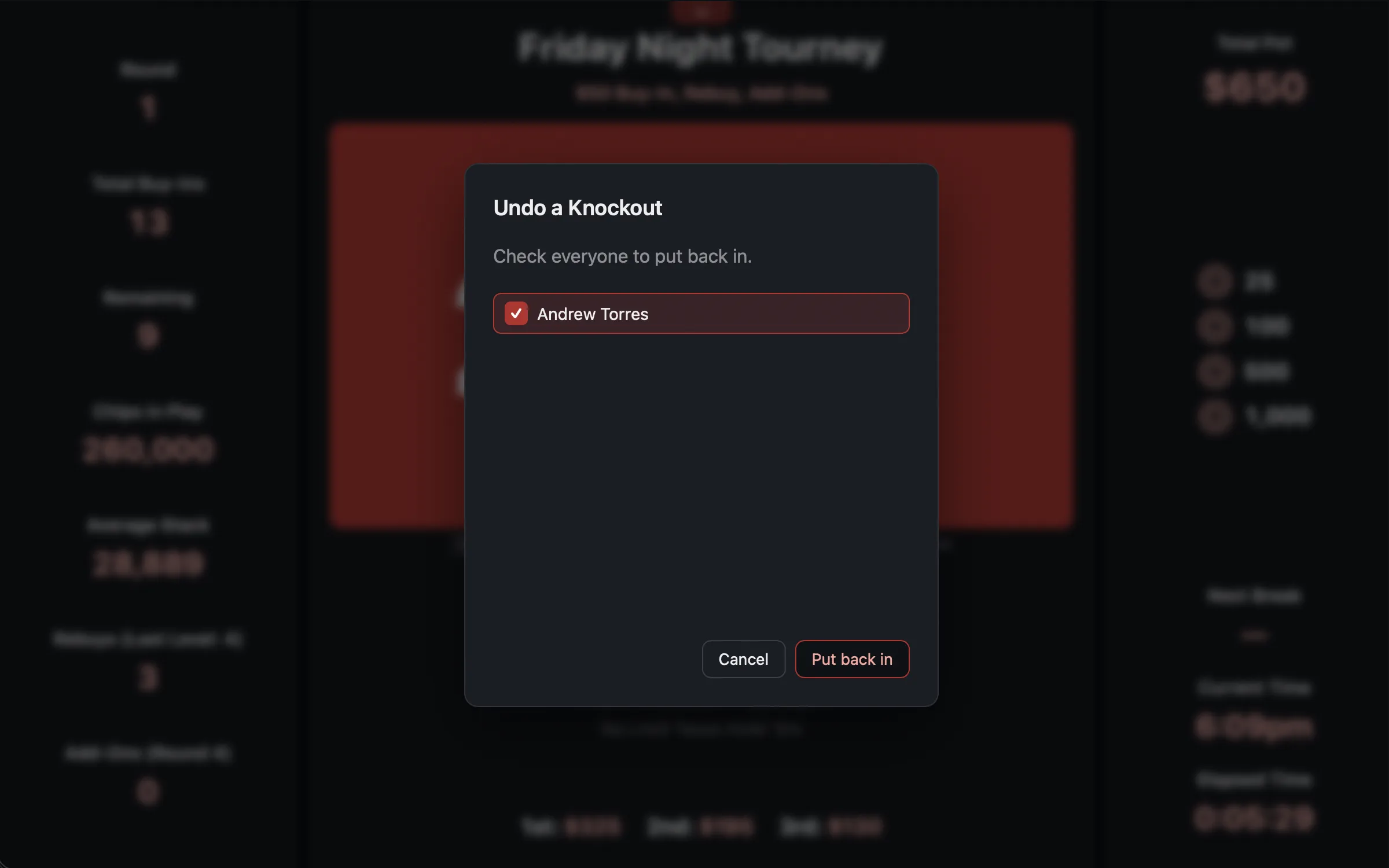 Undo a Knockout. Tick them, put them back.
Undo a Knockout lists everyone who has busted, most recent first, with the place they finished. Tick anyone you want back in. They return to their seat, and the knockout is taken back off whoever was credited with it.
The registration window
One setting, Last Registration Round, governs late registration, rebuys, and re-entries together. When the clock passes that level, all three shut at once.
You can see it happening in the stat row: Rebuys (Last Level: 6) becomes Rebuys (Closed).
Late registration and re-entries
Press n.
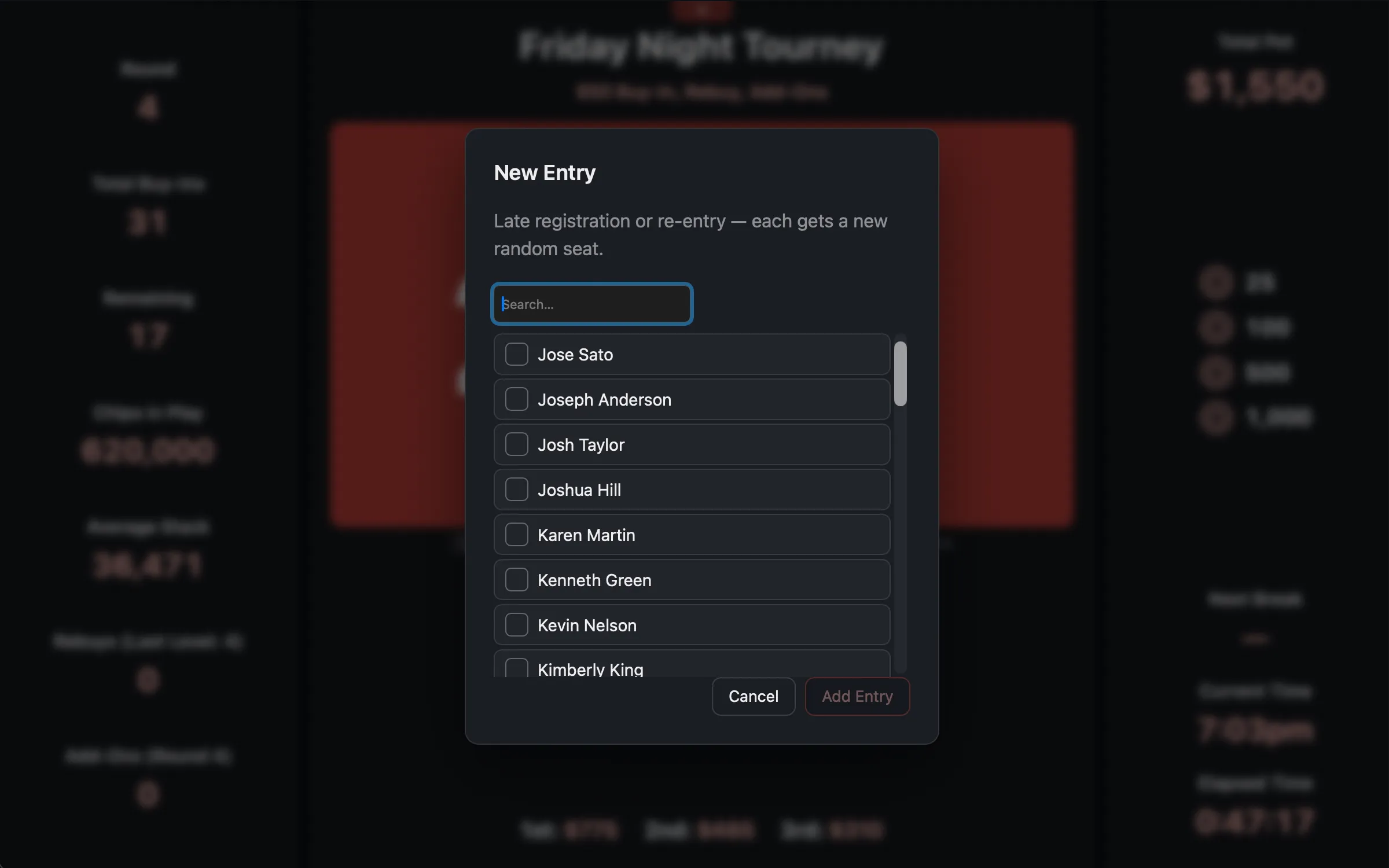 Late registration. The app tells you how many seats are actually free.
The modal tells you how many open seats there are. If you add more people than you have chairs, it warns you plainly:
⚠ 2 of these 3 will have no seat. They still buy in, and you seat them manually as chairs open.
That is a real, allowed situation. They have paid, they are in the tournament, they count toward the prize pool, and the live screen will keep a ⚠ N players need a seat warning up until you find them chairs.
If every table is completely full, pressing n just tells you so: “All tables are currently
full. New players can enter when seats open up.”
Once they are in, a confirmation lists exactly where each new player landed, so you can call it out: Table 2 · Seat 5.
Add-ons
Press a. Add-ons have their own window, set by Add-On Round, and the button is
only live while the clock is on that exact round. (Round 0 means before the tournament
starts.)
The modal offers Skip, Half, or Full for each active player, so you can run down the table one person at a time.
Editing the blinds mid-tournament
Press s. This is the feature that saves a night that is running long and want to speed things up.
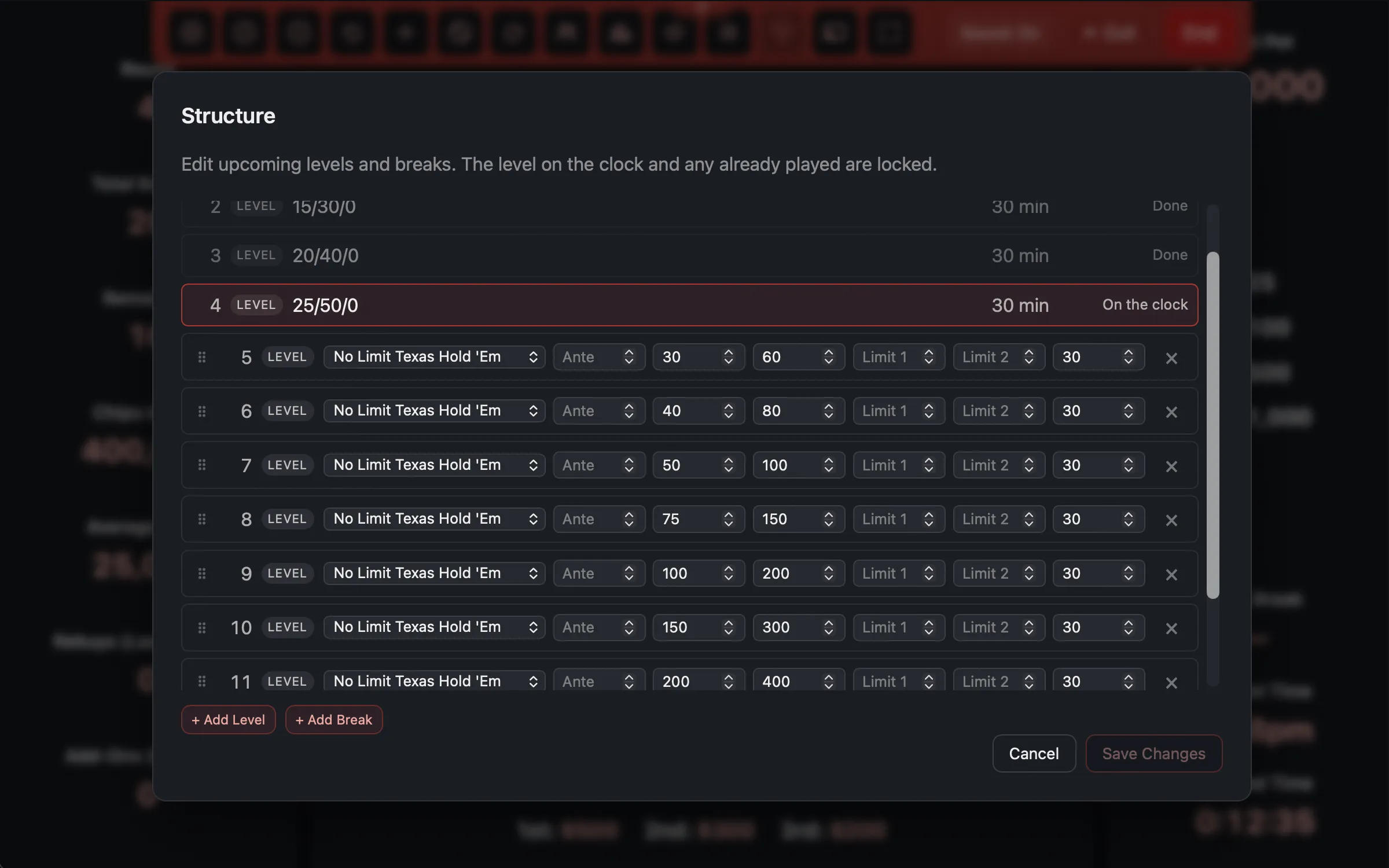 Edit upcoming levels. The current one is locked.
You can change any level that has not happened yet. Blinds, antes, limits, durations, and you can add or remove levels and breaks and drag them around.
You cannot change the level currently on the clock, or any level already played. They show as On the clock and Done, and they are read-only.
So if the game is dragging and you want to speed it up, shorten the upcoming levels. If the clock rolls into a new level while you have the editor open, the editor quietly re-locks the line so it always matches what the room is actually playing.
The tournament also cannot end on a break. If you delete the last level and leave a trailing break, the app tells you to add a level after it or remove the break.
Watching the tables
The app watches for seating problems and offers to fix them: combining to the final table, breaking a table, and evening out uneven tables. That is all in Seating.
Standings
Press v at any time for the current standings: who is still in, and everyone who has
busted, in finishing order.
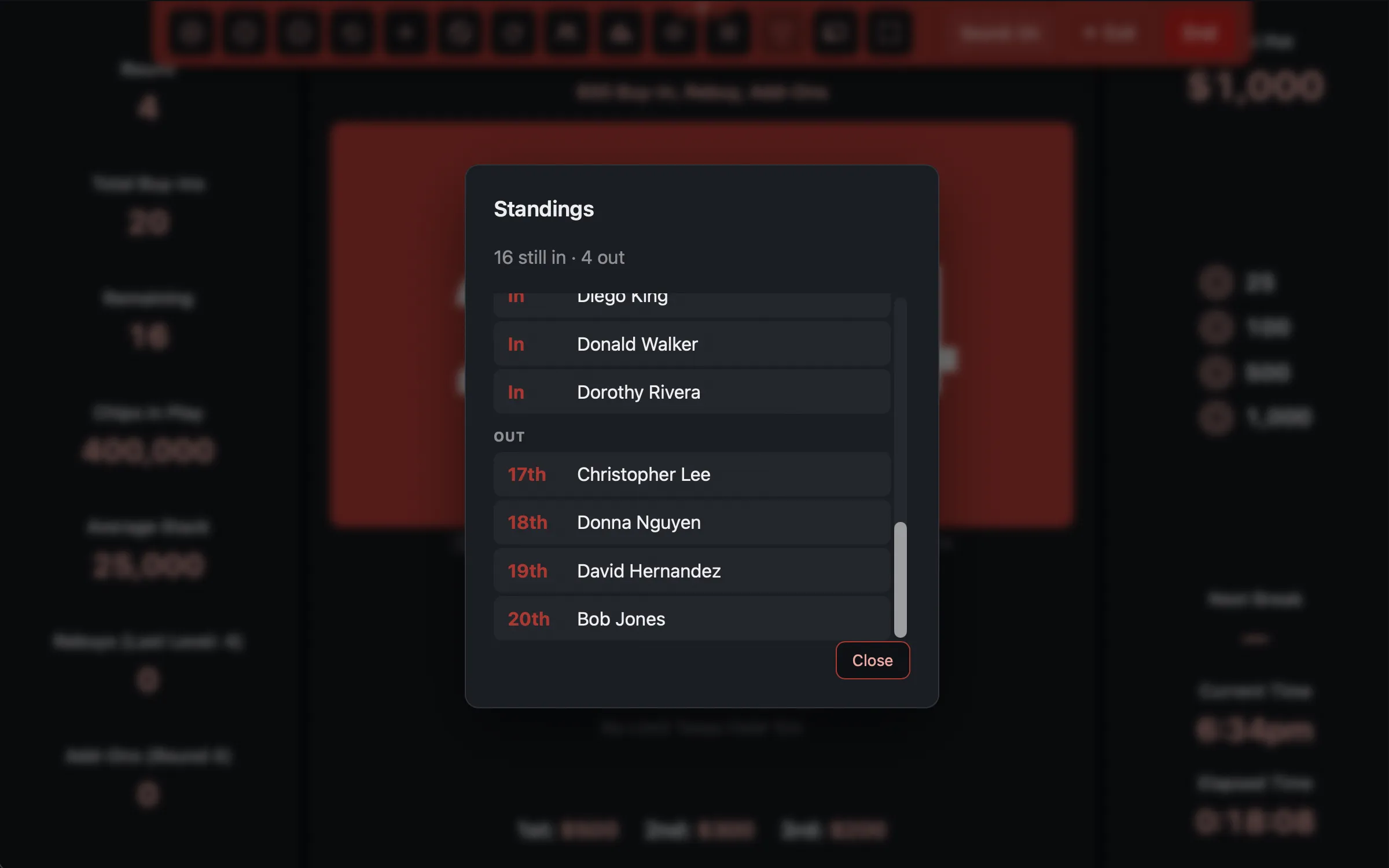 Who is still in, and where everyone finished.
House rules
Press ? or /. Whatever you typed into House Rules on the setup screen appears in a
modal you can put on the TV to settle an argument. If you did not write any rules, the button
does not exist.
Ending it
When one player is left, the app asks: “One player remains. Complete the tournament? Payouts are handed out at the table.”
Confirm and you get the Tournament Complete screen with the final standings. The results are saved permanently: they feed player lifetime statistics and, if this was a league game, the season standings.
You can also End a tournament early from the toolbar, and Exit back to the admin screen without ending it (the clock keeps its state, and you can resume from the Templates → My Tournaments tab).
Completed tournaments cannot be deleted. They are the record that player statistics and league standings are built from. You can hide them from the list, but the history stays.