
Share Standings Online
Publish your league standings to a private web page players open on their phones. Opt in once, then it refreshes itself after every game. A subscription add-on.
Paid and Premium, with a paid Cloud Standings subscription. Your league standings live in the app, on your computer. Sometimes you want your players to see them without crowding around your screen. Share Standings Online puts a read-only copy on a private web page they can open on their phones.
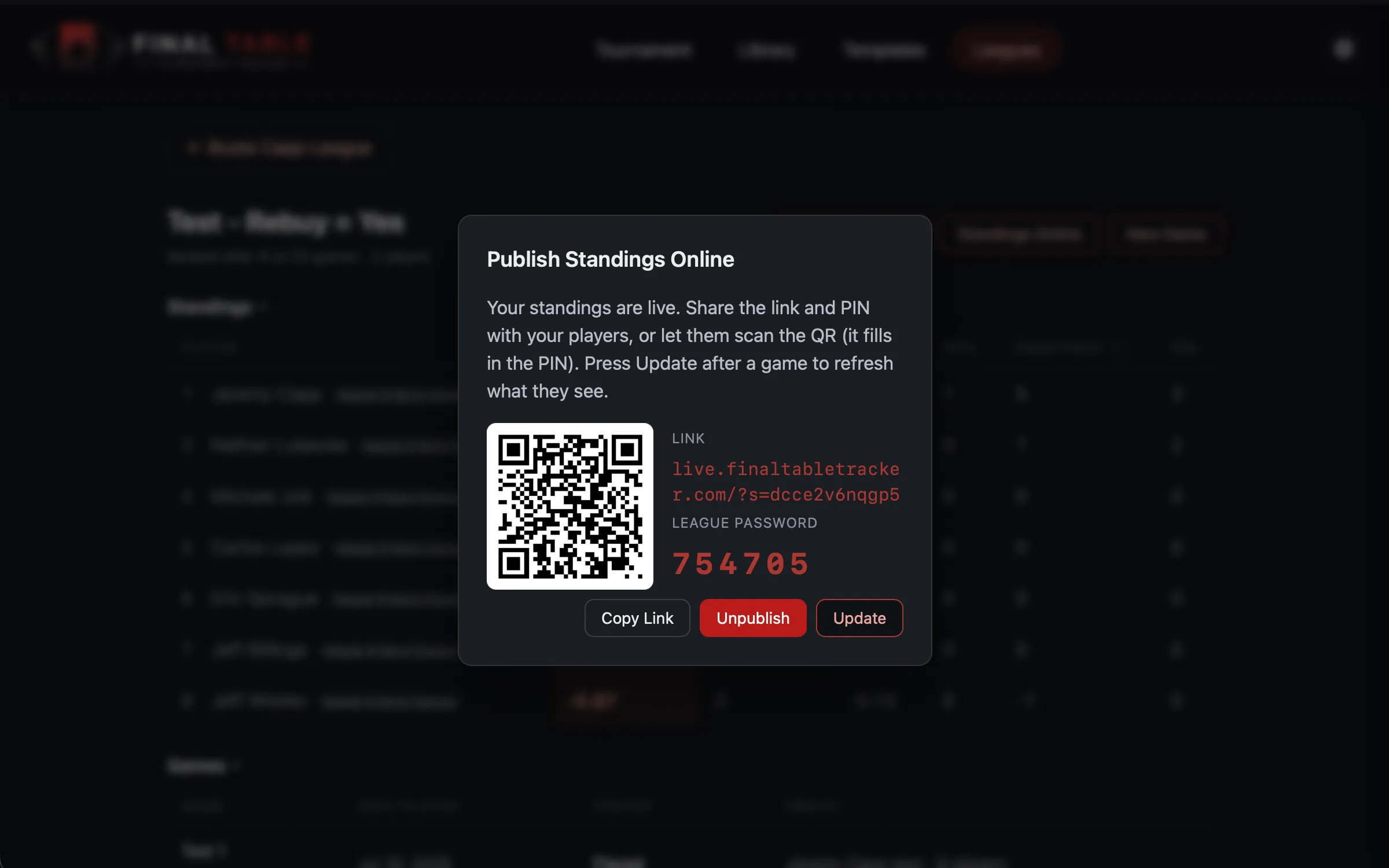 The Publish Online panel: a link, a league password, and a QR code. The same idea as Display on TV, but over the internet.
Publishing
Open a season and click Publish Online, next to Export Standings.
You publish the whole league, not one season. You start from a season because that is where the button lives, but the page that goes online covers every season in that league, so players can see this year’s table and last year’s alongside it. There is no way to publish one season and hold another back.
The first publish is a deliberate choice: nothing goes online until you press it. Once you do, you get three things:
- A link to the standings page.
- A league password: a short code players type to see the standings.
- A QR code that carries the password with it, so a phone scan drops straight in.
Send your players the link and the password, or just the QR, the same way you would a game invite.
It keeps itself up to date
You only publish once. After that, the page refreshes itself every time you finish a game, so there is no need to press Publish again. Play Thursday’s game, end it, and by the time your players check their phones the standings already show it.
If you ever want to push an update by hand (say you corrected a past result), reopen the panel and press Update. The link and password never change, so anything you already shared keeps working.
What players see
A clean, read-only version of your standings: the same ranking, the League Champion, who has qualified. Exactly what you see in the app, just on their phone. They cannot change anything, and they do not need an account or the app. Only the link and the password.
Every season in the league gets a table. Game-by-game detail is kept for the two most recent seasons; older seasons keep their standings totals, which is what anyone is looking at years later anyway.
Money is off by default
There is a Publish With Money switch in the panel. Leave it off and the page shows results only. Turn it on and each player’s winnings, buy-ins and net appear for every season.
Think about it before you turn it on. It is not your ledger any more once it is published: it is a page every player in your league can open, showing what each of them is up or down. Plenty of leagues are happy with that. Some very much are not. You can turn it off again at any time, and the money disappears from the page on your next update.
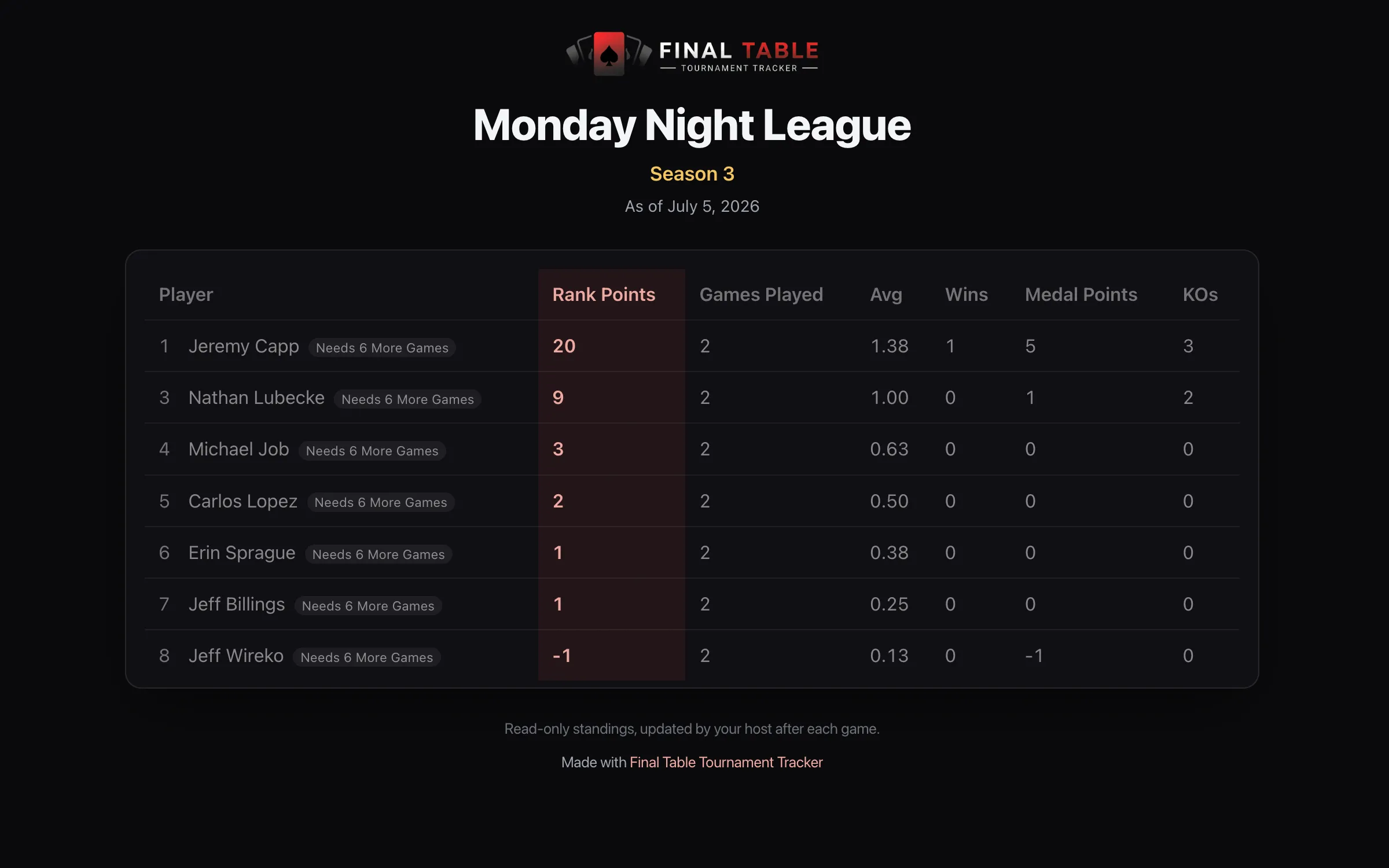 What a player sees: your league standings, read-only, on any phone.
Privacy
The page is private. It’s password-protected, and never listed or search-indexed. Its address is made of random characters, so it cannot be guessed or stumbled onto. It shows only what a standings table shows: player display names and their results, plus money if you switched that on. Nothing from your library, no contact details, nothing else about your players.
You stay in control:
- Publishing is opt-in, per league. A league you never publish never leaves your computer. Note that publishing covers every season in that league, not just the one you were looking at.
- Unpublish any time. Reopen the panel and press Unpublish and the page comes down immediately. This works even if your subscription has lapsed or you canceled it: we will never hold your players’ names online over a billing problem.
- Dormant pages are cleared. If you do not update a published league for two years, we automatically wipe the player information from it. The address stays reserved, so it is never handed to a different league, and an old link just says the page is no longer published.
- The display name is whatever a player goes by in your league; set it however you like when you add them.
One thing worth knowing: you are the only person who can change what is on the page. If a player asks to come off it, or to be shown differently, you can unpublish or edit their display name yourself in seconds. Our privacy policy sets out what is stored and how anyone can ask us to remove it.
The subscription
Sharing standings online is the one part of Final Table that runs on our servers, so it is a small subscription add-on rather than part of the buy-once app. Everything else stays yours, offline, forever.
If you press Publish without a subscription, the app points you to set one up. Manage or cancel it any time from your license page.
Ask your players who is coming
The same subscription gives you RSVP: one link you share for the night, so players tell you whether they are in without you chasing anyone.
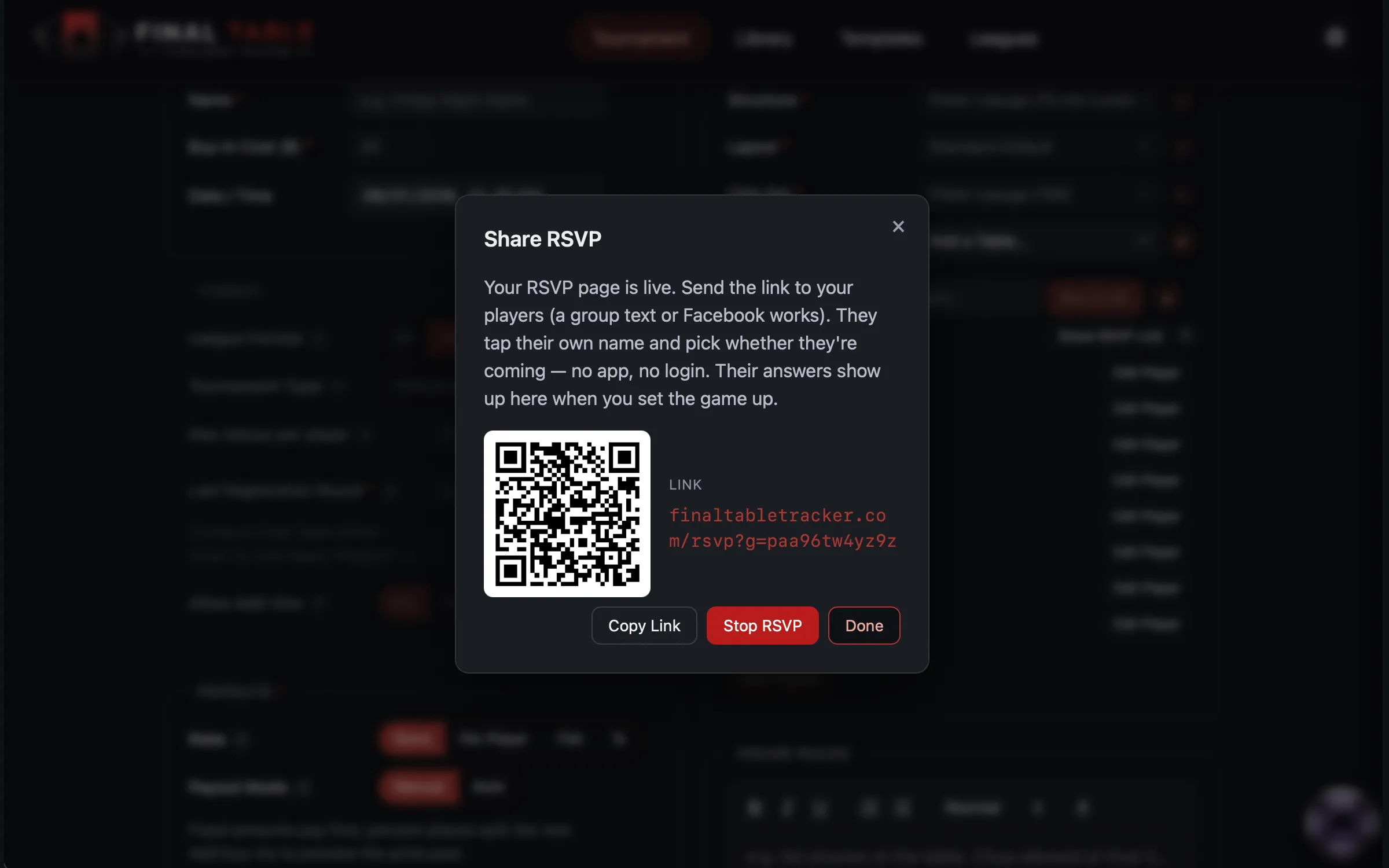
On a league game, the Tournament screen shows a Share RSVP Link button next to the player list. Press it and you get a link and a QR code to send however you already talk to your group.
What your players see is deliberately simple. They open the link, find their own name on your roster, and tap In or Out. There is no account, no app, and nothing to sign up for.
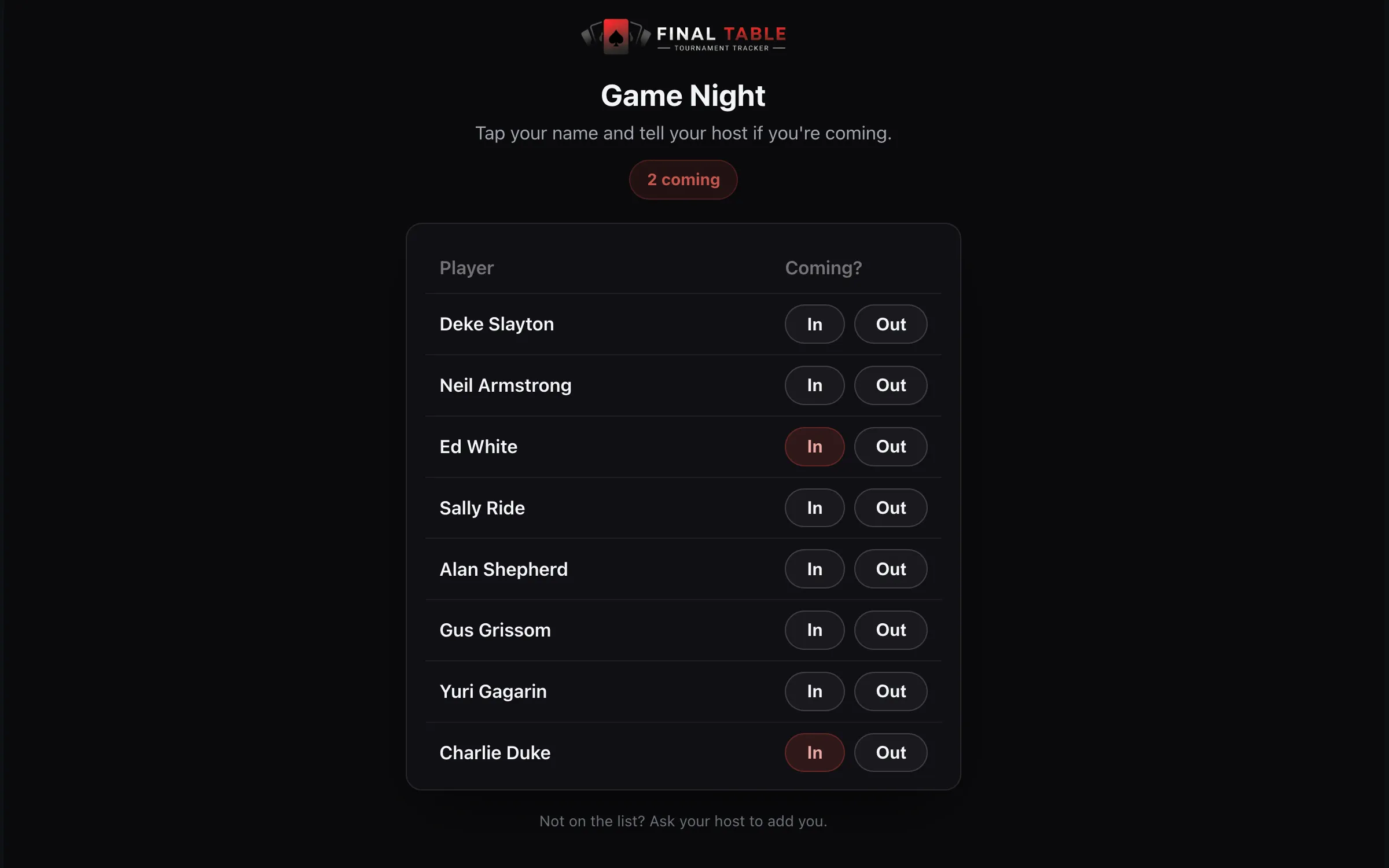
Two things worth knowing:
- The Yes list is already ticked when you set the game up. Players who said they are coming are pre-selected on the Tournament screen, so you are not re-entering a list you already have. You can still add or remove anyone right up to the start, because plans change and the person who turns up unannounced still needs a seat.
- The page only ever shows the names already on your roster. A visitor cannot add a name, and there is nothing on the page a stranger could use to work out who anyone is.
RSVP is part of the same Cloud Standings subscription as your published league page. Without it, the button points you to set one up.