
Templates
Save a tournament setup once and run it any time you want. What a template keeps, what it deliberately throws away, the overwrite trap, and the League Format flag.
You have spent twenty minutes building your Thursday game: the buy-in, the structure, the chip set, the tables, the payouts, the house rules. You should never have to do that twice.
A template is that whole setup, saved as a reusable recipe. The next time you load it, tick tonight’s players, and start.
Saving one
On the Tournament screen, next to the Start button: Save as Template.
The template is named after the tournament. There is no separate name box, so the button stays disabled until you have given the tournament a name. That is the only requirement.
What it keeps, and what it throws away
A template is a recipe, not a record. It keeps everything about how the game is played and deliberately drops everything about the particular night:
| Kept | Dropped |
|---|---|
| Buy-in, format, entry mode | The players you had ticked |
| Structure, chip set, tables | Who had already bought in |
| Payouts and rake | The date and time |
| House rules, layout | The count, in Count mode |
That is exactly the split you want. Loading last week’s template should not re-invite last week’s field, or tell you the game starts last Thursday at 7pm.
⚠️ Saving over an existing name replaces it
Templates are keyed by name. Save a template whose name matches one you already have, and the app overwrites the old one without asking.
This is easy to trip over, because the template takes its name from the tournament. Load “Thursday Night”, change the blinds to try something out, and hit Save as Template again, and you have just replaced your Thursday Night template with the experiment.
If you want a variant, rename the tournament first, then save.
Loading one
The Load template… dropdown sits right next to Save as Template. Pick one and the whole setup drops into the screen, ready for you to tick tonight’s players and set the date.
The name comes back empty on purpose. A template is a recipe, and this is a new night, so you have to name it. That is also your protection against the overwrite trap above: you cannot accidentally re-save over the template you just loaded without deciding on a name first.
It is disabled in three cases:
- You have no templates yet.
- The tournament is already running. Loading a new setup mid-event would move the money and the seats around under the players. See Creating a Tournament.
- It is a league game, where loading a template would replace the season’s frozen format and quietly break the rules every other night of the season was played under. See Leagues and Seasons.
The Templates tab
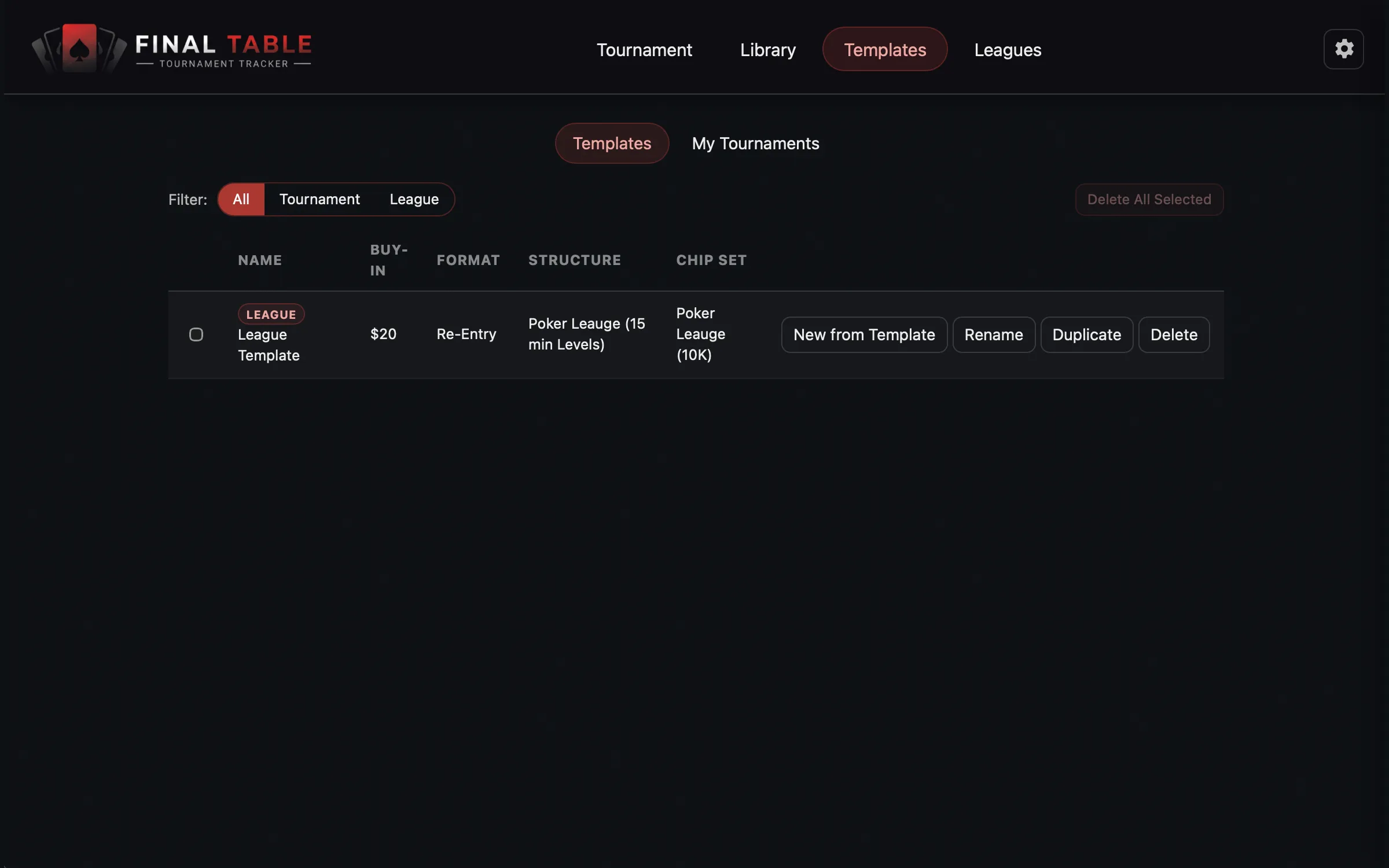
The Templates tab in the header holds two lists.
Templates
Your saved recipes: Name, Buy-In, Format, Structure, Chip Set at a glance.
| Action | What it does |
|---|---|
| Use | Starts a fresh tournament from the recipe and drops you on the Tournament screen. |
| Rename | Renamed in place. It will not let you collide with an existing name. |
| Duplicate | A copy, named “(copy)”, to make a variant without touching the original. This is the safe way to fork a template, given the overwrite rule above. |
| Delete | Removes it. Tournaments you already ran from it are untouched. |
Tick two or more and Delete All Selected clears them in one go (it stays disabled for a single selection).
My Tournaments
Not recipes: the actual events. Every tournament you have saved, with its Status.
| Status | What you can do |
|---|---|
| Draft | Resume it back into the setup screen and carry on. |
| Running | Go to Live Tournament returns you to the clock, exactly where it was. |
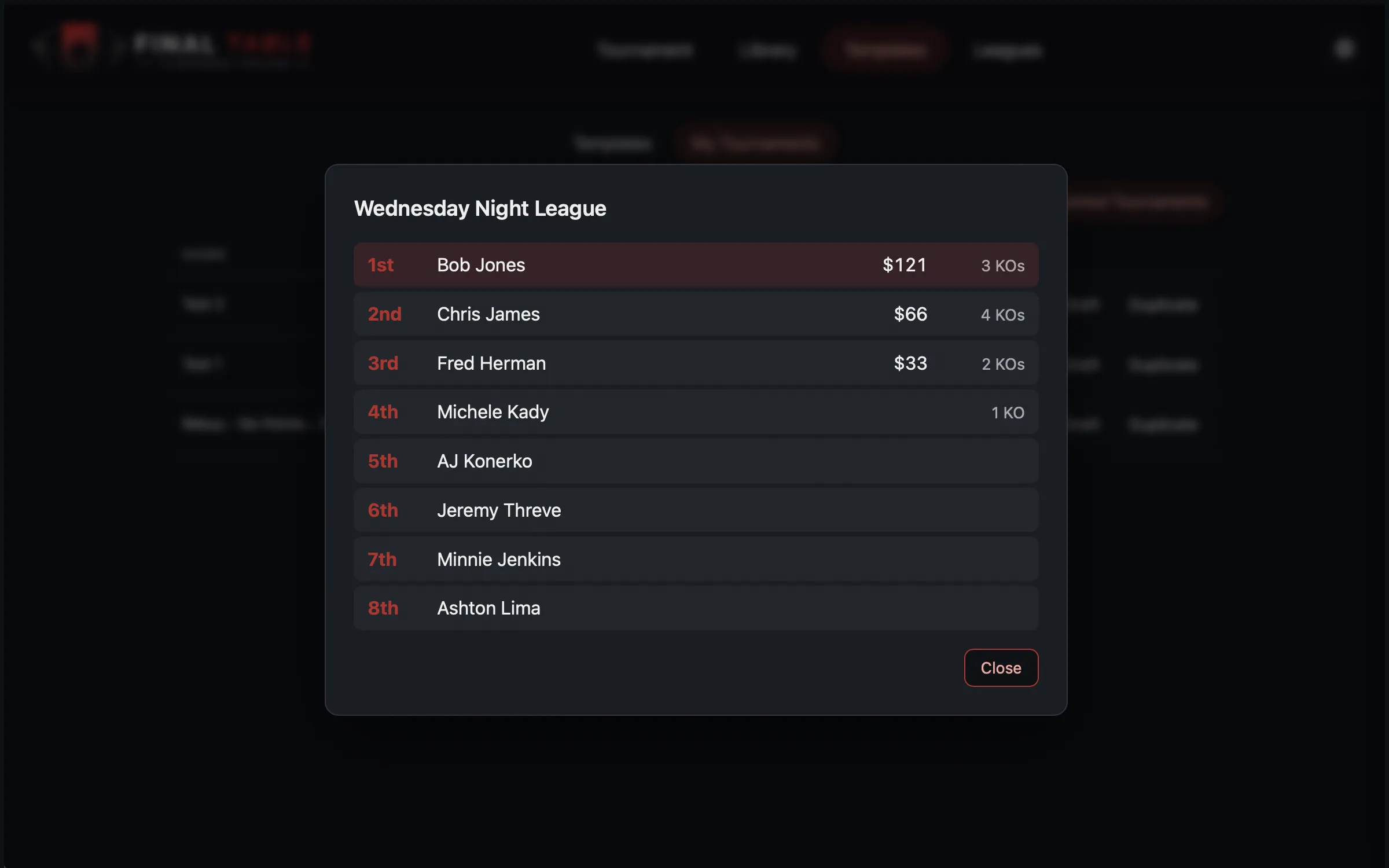
| Complete | View Results shows the finishing order, payouts, and knockouts. |
You can Duplicate any of them into a new draft, which is another way to run last week’s game again.
Completed tournaments pile up over a season, so there is a Hide Completed Tournaments toggle to get them out of your way.
A completed tournament cannot be deleted. That is deliberate: its results feed every player’s lifetime statistics and, if it was a league night, the season standings. Deleting it would silently rewrite history. Drafts and running tournaments can be deleted.
League Formats
In the Format section of the Tournament screen there is a League Format switch: Yes or No. It is not part of the tournament itself; it travels with the template you save.
Set it to Yes and Save as Template marks that setup as a league format, so it shows up in the Leagues season-format picker when you build a season.
Leave it No (the default) and it is a normal standalone tournament template.
The switch locks once the tournament is running, and on any league game (the format is the season’s, not yours to change for one night).
League formats are not hidden from your ordinary templates. They sit in the same list, badged League, and once you have at least one the list grows a filter: All · Tournament · League. They also appear in the Load template dropdown, suffixed (League). The flag sorts them, it does not hide them.
Why the separation matters: a season freezes its format the moment it starts. Every game that season is played on the same recipe, so a player cannot face a different buy-in or structure in week 9 than in week 1. Keeping league formats in their own list is what stops you casually editing a format that a running season depends on. The full story is in Leagues and Seasons.